HOW TO CLEAN A LOT
You will need to pick up a copy of the Sims2 Pack Clean Installer here
http://sims2pack.modthesims2.com/index.php?page=4
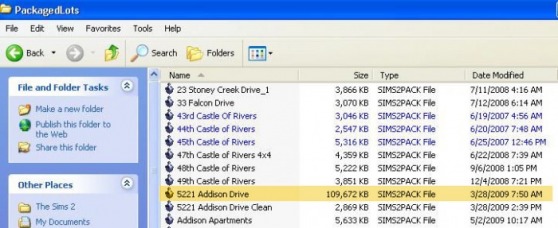
1. Go to your Packaged Lot folder, found under My Documents/EAGames/The Sims2 and select the lot
you want to clean
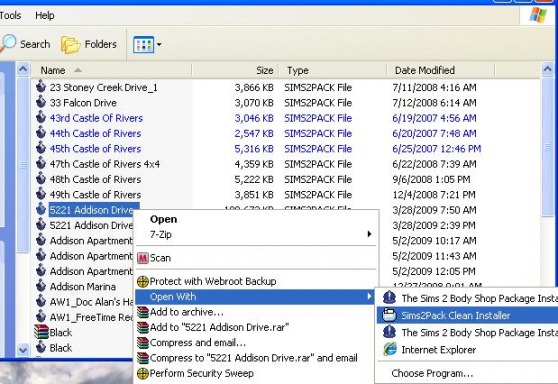
Right Click on the packaged lot and select Open With Sims2Pack Clean Installer
Once it is open you will want to untick/ uncheck the boxes next to the custom content you do NOT want included with your lot
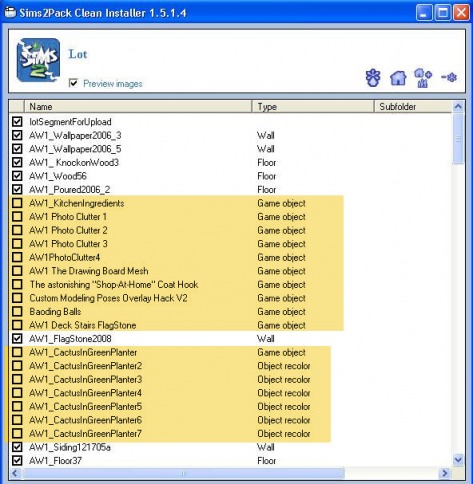
IF your lot includes a family, be sure to untick/uncheck the familySegmentForUpload as well as any files listed below it. These files are all the custom content you used to create the family as well as ALL of the other sims they've met in the game.
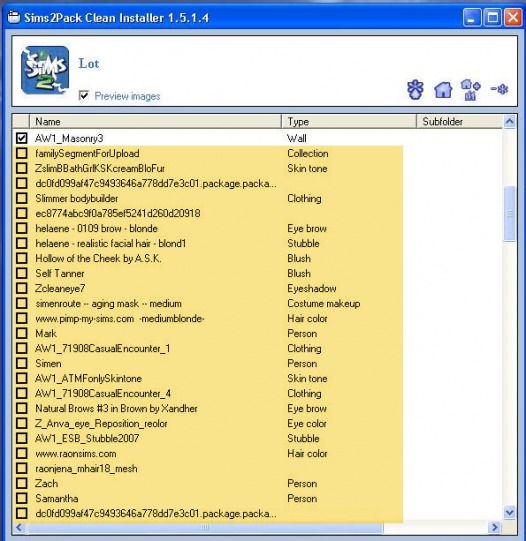
After you've unchecked/unticked everything in the file, go to the bottom of the Sims2Pack Clean Installer and click SAVE AS
This will bring up your Packaged Lot folder, then click on your original packaged lot - DO NOT HIT SAVE YET!
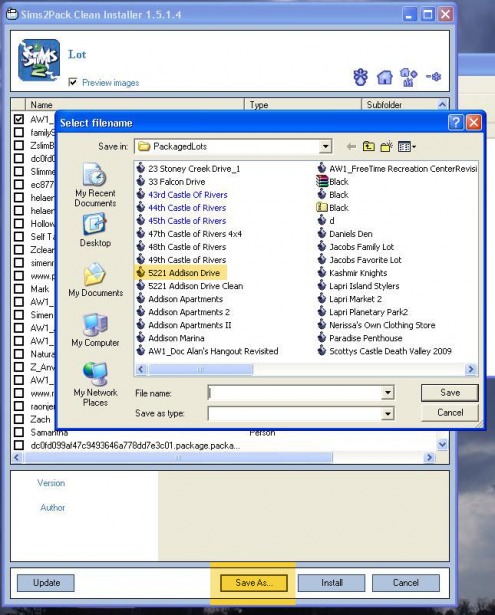
You will want to click on the box with the original File Name
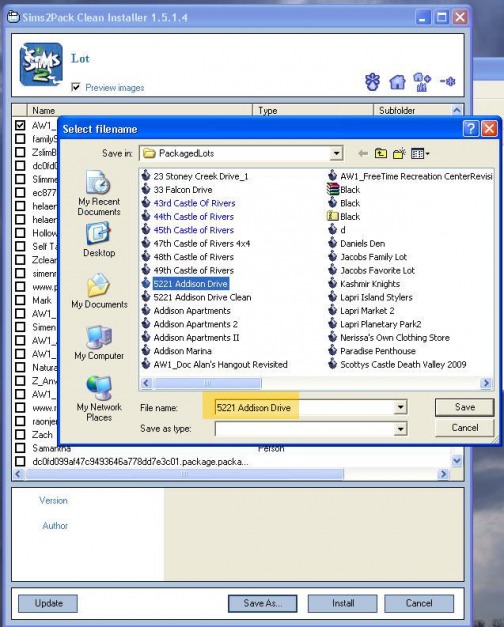
Now you need to add text to the line, here I added " Clean 2 ", now you can hit SAVE
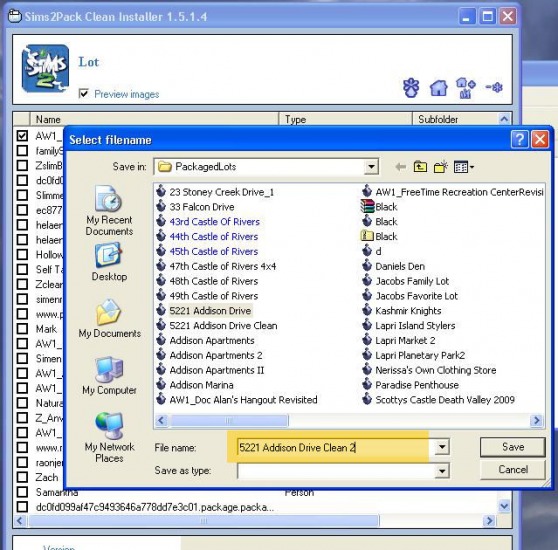
Now Sims2Pack Clean Installer will show you what is now included in your lot
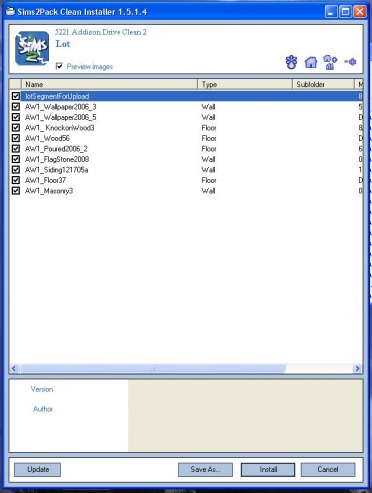
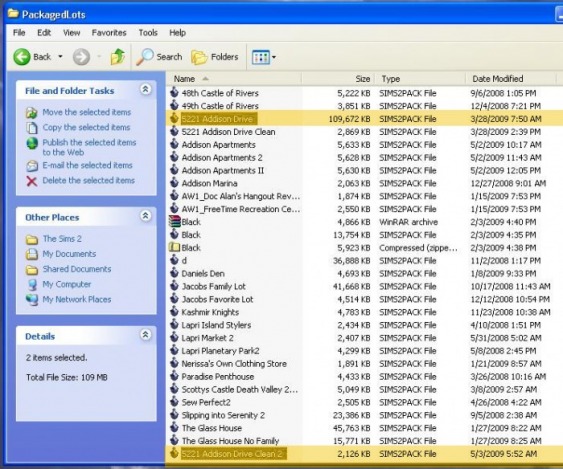
Your New Packaged Lot will save in your Packaged Lot Folder, it will usually be at the bottom of the list, here you can see the difference in the file size.